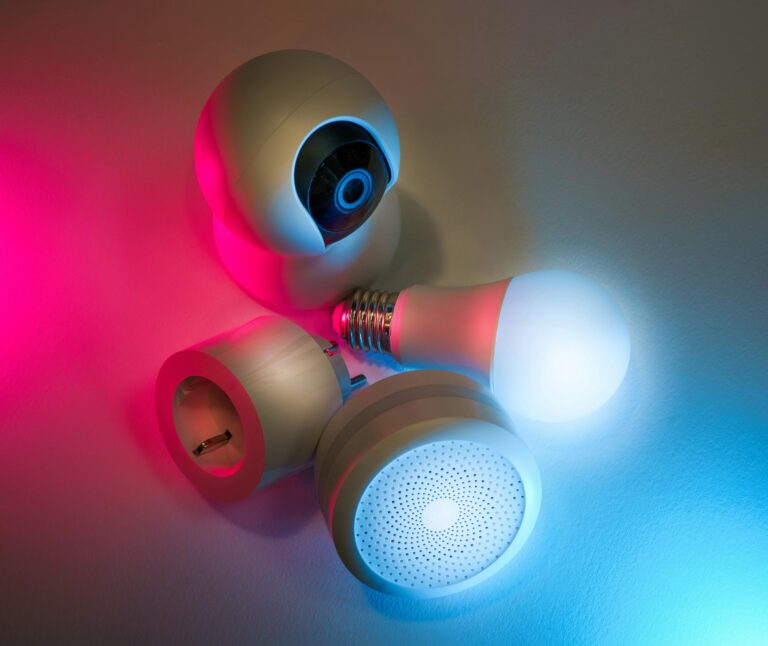
Best Wireless Security Cameras : The Ultimate Guide for Home Protection (2025)

Introduction
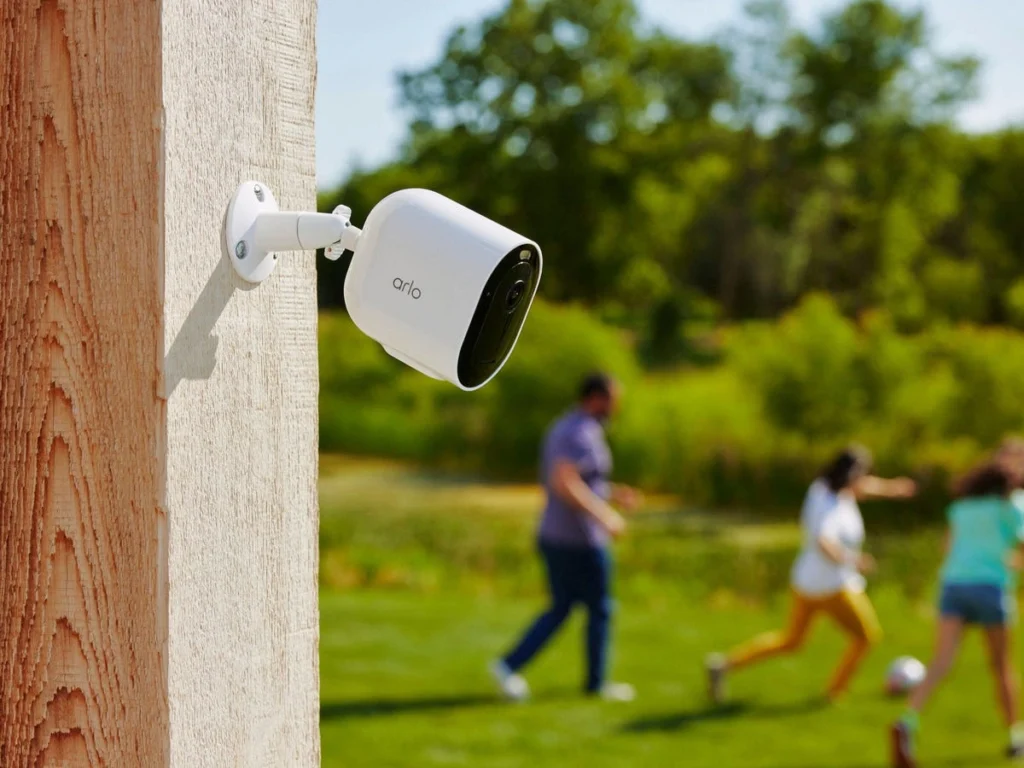
Wireless security cameras provide excellent flexibility when it comes to protecting your home. By using wire-free options, you won’t have to deal with complicated wiring or adhere to installation preferences.
Wireless cameras are fully capable of monitoring your home like wired systems, but you have a lot fewer limitations with flexibility on the camera’s placement. We are always testing the newest wireless home security camera systems to help you land on the perfect option for your individual use.
In our testing, we have seen impressive results about storage capabilities, like the Lorex DVR, which stored nearly two weeks of 1080p video from four cameras with a 1TB setup.
Some systems will let you expand their capacity if you need more storage for 4K video. Battery life is another important consideration and ranges industry-wide from three months up to six months depending on the use.
In this guide, we will evaluate the top wireless security cameras for 2025 and look at the necessary features to consider as well as how to choose the right system for your safety needs.
Top Wireless Security Cameras USA
After reviewing many possible options in home security systems, I have identified the best of the wireless security cameras that can provide great safety to your home without compromising the camera’s quality or features.
The top cameras offer specific qualities while providing reliable security for your home monitoring.
ADT—Best for Whole Home Security
With almost 150 years of experience in the security business, ADT provides incomparable reliability for a total home security solution. With their new association with Google, ADT is offering advanced Nest cameras that include smart alerts that can detect motion, people, cars, and animals [1]. The indoor camera captures video in clear 1080p HD, and the outdoor camera has a significant IP66 weather resistance rating and will work in extreme temperatures as low as -40 degrees Fahrenheit [1]. Plus, ADT’s cameras integrate well with their larger security system and use video verification during an emergency that could save time for police [1].
Ring Spotlight Cam—Best for Outdoor USA
The Ring Spotlight Cam Plus is the best option for outdoor coverage in rooms that are difficult to see. Generally, this camera, equipped with 1080p HD video and color night vision, also provides two motion-activated LED spotlights that will turn on automatically when sensing motion [2]. Also, the built-in security siren and two-way talk ability create passive deterrence for intruders and communication capability for guests [2]. This camera can function in temperatures from -5°F to 120°F [3], making it suitable for most climate conditions in the USA.
Lorex—Best for Night Vision
Lorex stands out in nighttime surveillance with two unique night vision technologies. Its standard infrared night vision relies on invisible IR LEDs positioned around the camera lens to light up the scene discreetly to intruders [4]. However, even better is Lorex’s new Color Night Vision™, which uses available ambient light to continue recording in full color in the dark [4]. As they point out, this capability is quite important, as criminals are most active after dark [4]. Lorex also offers recorded resolution up to 4K, ensuring every detail is present regardless of the light [4]. Nest Cam (Battery)—Best for Versatility Google’s Nest Cam (Battery) offers absurd amounts of adaptability for indoor and outdoor placement. It features a weather-resistant wire-free camera with smart alerts that can distinguish between people, animals, or vehicles [5]. It has HDR and capable night vision to capture images in sunlight glare and low light [5]. The camera offers three hours of free event video history with options on their Nest Aware program to expand recorded history to 60 days [5]. Battery life will vary depending on activity level, lasting from about 1 month when activities are very high (25-30 recorded events) to about 6 months of very light use (2-5 events) [6].
Nest Cam (Battery)—Best for Versatility
The Nest Cam (Battery) from Google has incredible versatility for indoor and outdoor situations. The weather-resistant, wire-free camera sends smart alerts that can tell the difference between people, pets, and cars [5]. With an HDR and night vision mode, the camera gives you clear images in both high-contrast sunlight and low-light vision [5]. The camera has 3 hours of free video history on events and has Nest Aware subscriptions for 60 days of video history [5]. The battery life will vary, depending on levels of activity; an estimated life of around 1 month when active (about 25-30 recorded events every day) or several months (when passive, too low levels of activity, perhaps only 2 or 3 events every day, as is the norm, at times less than 10 times weekly). [6]
Arlo Pro 5S – Best for Video Quality
The Arlo Pro 5S camera captures incredible details, with a video resolution of 2K HDR. One of the biggest selling points of this camera is the 12x zoom capabilities that provide you with superb detail [7]. The camera has a wide 160° field of view so that you won’t miss any key details of what is most important, for example, the fence line or the garden. [7]. The camera does not perform poorly in difficult lighting situations, with color night vision. Also, it has dual-band Wi-Fi that connects you to the strongest band to perform [7]. Even though the Pro 5S has an extensive amount of camera features, it has an extensive battery life that is maintained through an innovative low-power mode because the features use a large battery that has low energy uses. [7].
Ring Stick Up Cam—Best for Alexa Integration
With effortless Amazon Alexa integration, the Ring Stick Up Cam creates a truly connected home security experience. Once connected, you can display the live camera feed on your Echo Show or Fire TV device using just voice commands (the Ring app must run in the background) [8]. You will also receive automatic announcements on your Echo devices when your camera detects motion or when someone presses your doorbell (this requires the Ring app to be running in the background) [8]. You may also use voice commands to toggle the camera to “armed” or “disarmed” modes [9]. This integration helps transition your security system into a hands-free monitoring solution that works organically within your smart home [9].
Key Features to Look for in a Wireless Security Camera

Finding the right wireless security camera depends upon a good understanding of all the technical features that determine performance. Advances in camera technology can deliver you professional surveillance capabilities in today’s products that weren’t available until recently. I will break down the main features you want to consider before you make your purchase.
Video resolution and field of view
High-quality video is a must for security monitoring. Most standard wireless security cameras are typically 1080p resolution, which is enough detail for general surveillance [10]. If you want to capture fine details such as facial features or license plates, consider getting a 2K (2560×1440) or 4K (3840×2160) camera for the job [11]. The TP-Link Tapo C120 is an example of a camera that can capture 2K-quality images and does an excellent job distinguishing between different types of motion [12].
Your camera’s field of view (FOV) has equal importance to resolution since FOV determines how much of the area you can monitor. The wider the FOV, the more area covered with fewer cameras. If monitoring a tight space, like a hallway, you would typically need a narrower 60°–90° field of view, while an open area would need a wider field of view between 110° and 180° [11]. As a good guideline, try to find an FOV between 130° and 160° to help reduce blind spots throughout your property [13].
Night vision capabilities Wireless Security Cameras
Many security incidents happen under the cover of darkness, so it is important to have good night vision. Most wireless cameras use infrared (IR) LED technology to illuminate the area with more light that you cannot see with your own eyes [11]. When looking to purchase a night vision camera, look for one with:
- IR cut filters, which can switch automatically between day and night [14]
- Illumination range of not less than 30 feet to ensure proper coverage [14]
- Color night vision capabilities for better detail recognition [15]
Some premium cameras, such as the Arlo Pro 4 Spotlight, have a color night vision mode utilizing built-in, motion-detected spotlights [13]; similarly, others, such as the Lorex line, have Color Night Vision™ technology for recording in color using ambient light in low-light situations [16].
Two-way audio and noise suppression
Contemporary (wireless) security cameras can provide two-way audio, allowing both listening and speaking from the camera [10]. This feature allows any camera to go from passive surveillance to interactive security [17]. In addition, two-way audio allows you the ability to:
- Greet guests remotely or provide instructions to acceptable packages [11]
- Alert apparent intruders [17]
- Conduct check-ins with family or pets [11]
For best performance, cameras with noise suppression technologies are ideal. For example, the Google Nest Cam has digital noise suppression to cut background sounds to ensure clear audio, even in busy settings [16]. The Wyze Cam models include Advanced Audio Coding (AAC), which further enhances the audio [18]
Smart home integration
Combining your wireless security camera with your current smart home devices adds an extra layer of functionality for all-round smart home security. Most cameras work seamlessly with Alexa and Google Home, but extending that compatibility to Apple HomeKit may require further review on your part [1].
Smart home integration allows you to request features that enable you to view the camera’s feed on Echo Show or Fire TV devices through simple voice commands [19]. In some systems, you may also be able to set up automatic actions like turning on lights when motion is detected or sending alerts to multiple devices simultaneously [1].
AI features like person detection

AI technology represents the latest trend in security camera technology. AI-supported features help eliminate false positives while strengthening detection features [20]. The most discussed AI features are
- Person detection that distinguishes whether a human is detected versus an animal or some other item [21]
- Vehicle recognition for simply traffic monitoring or if an unfamiliar car is detected [20]
- Package detection to prevent porch piracy [21]
- Facial recognition to determine whether the person is a family member or stranger [2]
Some cameras can also detect sounds, like breaking glass, barking, or crying [12]. The Canary Pro, for example, can recognize when a fire alarm is going off [21], offering a deeper path to home assurance.
If you also factor in these important features, you can easily select a wireless security camera to protect your home without overspending on features you may not need.
Storage: Cloud vs Local
How you store footage from your wireless security cameras is just as important as the camera itself. Choosing the right storage gives you the assurance that you will have the footage you need access to when it matters.
Free vs Paid Cloud Storage Plans
Cloud storage transfers your recorded footage onto remote servers and allows you to access the footage from anywhere. Most wireless security camera brands have free tiered plans. Free plans usually have limited options and will typically only record short clips (10-30 seconds) when triggered by motion [3]. Some brands still offer limited free recording of clips (which is rare) [3].
Yes, paid subscriptions allow you to save typically 30‐60 days of event recording, at which time clips will be deleted automatically [3]. Continuous recording plans are available where video is uploaded continuously, instead of motion-triggered clips only; these storage plans usually range from 7 to 30 days of saved footage [3]. Ring is unique, and they provide 180 days of video history, regardless of the plan you choose [22].
Local Storage (SD cards or DVRs)
Local storage keeps the footage on a physical device located in your home. Typical local storage options include:
- SD cards: Often used for individual cameras, available sizes for SD cards range from 32 GB to 128 GB [4].
- Hard Drives/DVRs: Also in security systems, these provide more recording capacity and increased reliability for your security system [4].
- Network Attached Storage (NAS): NAS is also an external device that has the additional power of added security and access flexibility.
The primary benefit of local storage is that you will not have to pay monthly for storage. After purchase of your storage devices, there are no additional fees [4].
Thus, in the long run, local storage can provide better value, though you might have to clear it out every so often as it fills [23].
Hybrid Storage Systems
Hybrid systems leverage the benefits of both cloud storage and local storage. In these systems, the footage is stored locally, but the cloud is used for backup, remote access, and the ability to manage your system [24]. Hybrid cameras upload only selected metadata and footage when activity is detected, rather than continuously streaming it over the cloud [25]. This drastically reduces the amount of bandwidth used.
The advantages of having hybrid storage are impressive: with a hybrid solution, the cameras will record regardless of any connectivity issues, there is undoubtedly footage available on-site.
And once you have internet or connectivity again, the data will seamlessly upload [26]. Accordingly, hybrid systems have a very beneficial use case with limited bandwidth [25].
Wireless Security Cameras and Privacy Issues
Unlike cloud storage, with local storage you have complete control over your privacy and data [4]. While this comes with some risks, if your storage is compromised (panel is damaged, storage is physically stolen and damaged, etc.) while on-site, the footage is completely gone [4].
Cloud storage providers often spend significant amounts of money on data security and to have policies and software in place around data privacy protocols [27].
However, storing recordings on third-party service providers can create privacy concerns since you are trusting external companies with sensitive information. [4]
To preserve privacy, the best practice is to put firm retention rules in place and add in automatic deletion rules [5]. This would allow you to avoid retaining unnecessary recordings forever.
Power and Installation Considerations USA

The most important aspects of wireless security camera operation are power management and installation. For most users it is practicality in these areas that is most often the deciding factor on how effective your system will actually be.
Battery life of security camera systems
The average battery life of battery-powered security cameras, depending on usage and weather factors, generally lasts between three and six months until needing to be charged [6]. There is a significant difference in battery life, depending on the brand. For example, Blink cameras powered by standard AA batteries can last up to two years [28]. For other base brands, typically Ring cameras last 6 to 12 months [28]. The frequency of motion events occurring has a significant impact on device life. If a camera detected 25 events daily, then it would likely last only three months; however, if less than 19 events were detected daily, it could last in
Solar panel and backup battery options
For most people, solar panels are a highly effective way to suspend or eliminate concerns about battery operation. Many wireless (or not-wired) cameras can connect to a type of solar panel that takes direct sunlight and provides a continuous power source all day, with only a short exposure time. For example, and according to Hyperion, two hours of direct sunlight creates enough energy to power the cameras for the full 24-hour cycle [30]. Solar panels run about $30 – $60 and provide annual power supplies [28], with location determining effectiveness [31]. Essentially, southern states naturally have better benefits than the northern states that have lower sunlight variability in the winter months.
DIY setup vs. professional setup
Most wireless security systems are simple to assemble and require minimal skill to set up. Setup usually takes between 30 minutes and 2 hours, depending on the level of complexity of the system [7]. Setup consists of unboxing and finding components, a hub setup, setup, an app on your smart device, pairing of devices to the hub, and then placing your smart cameras or components [7]. If you choose professional setup, you will not have to deal with guessing or assembly, and the cost (plus installation fee, typically about $100.00 [7]) is up to you, as will be how long you have to wait for installation by a third party (3-4 hours to wait accordingly) [7].
Weatherproofing—IP Weatherproofing—IP ratings
Outdoor wireless security cameras typically advertise IP (Ingress Protection) Ratings to determine whether or not the camera will withstand the varied environment the outdoor camera(s) will experience over time. The IP ratings feature a two-digit code, where each digit indicates a type of protection.
The 1st digit The 1st digit (0-6) refers to protection against solid objects/dust.
The 2nd digit The 2nd digit (0-8) refers to protection against moisture/water [32] and snow [32].
When it comes to outdoor use, you will want to look for cameras that are IP65-rated or higher [33]. Many cameras will operate in extremely hot and cold weather, ranging from
-40°F to 140°F [32], but performance may not be entirely reliable under these extreme circumstances. Yet, even a weatherproof camera will have a better performance when
placed in a protected area under your eave away from direct rainfall and snowfall [32].
Selecting the Right Camera for USA
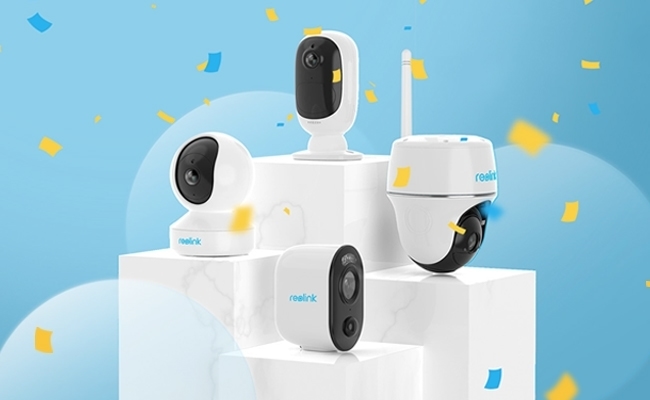
Choosing the ideal wireless security cameras is all about assessing your unique needs around home protection. Let’s look at the most noteworthy details that will
affect your decision.
Indoor versus outdoor placement
Typically, indoor cameras cost around $100 since they do not need to be weatherproof because they will only focus on areas inside the home [34]. Outdoor cameras will
Typically, the average is $200 for weatherproof housing and an IP rating of IP65 or higher to not only negate rainfall but also snow and extremely hot or cold temperatures [35]. In relation to
privacy, do not place cameras in bedrooms or bathrooms, as this is not only intrusive, it may be illegal in some states [34]. Your placement will determine the type of camera
that you buy—video—video doorbells for front doors, floodlight cameras for areas that already have lighting, and outdoor cameras for the remaining areas [8].
Single camera versus full system
A single wireless security camera is appropriate for apartments, monitoring specific needs (package delivery, etc.), or as a budget alternative [9]. A multi-camera system like security cameras usually provides complete coverage for larger properties [36]. A single camera system using an app is usually less expensive than a dedicated security system [9]. Consider future needs—adding extra cameras is very easy as you grow your needs into a system [36].
Budget and subscription costs
In addition to the hardware cost up front, look at the cost of the monitoring fee. Many manufacturers impose a subscription fee for the storage in the cloud—many clouds—and many have no option for free storage (Ring offers storage at $4 per month per camera for only 180 days) [8]. Other manufacturers have only local storage options (Wyze, Lorex, and Eufy), which do not have a cloud storage fee [37]. Look for microSD (secure digital) or USB drive options for the budget-conscious buyer [38].
Integration with existing smart devices
Ensure compatibility with the cognitive building facility before purchase. Many cameras will integrate into your smart home with Alexa or Google Assistant, which allows you to view the camera on your Echo Show, Fire Sticks, and TV using voice commands [39]. These functions can also allow for reactive automation, such as turning on lights when motion is detected or announcing motion detections through Echo devices [39]. Systems that act as a smart home hub (ADT IQ Panel) support smart devices on the same platform, creating a “one-stop” facility for smart home capabilities [40].
Conclusion
Wireless security cameras have effectively changed the way we think about protecting our homes while giving the right combination of convenience and reliability. In our testing and research, we’ve seen that wireless security cameras avoid complicated wiring while still offering features associated with monitoring by professionals. The final determination regarding which system is best for you will depend on the use case you come to rely on, whether it is “night vision” options like Lorex, the higher resolution cameras of Arlo, or a more integrated security system like ADT.
When evaluating your best security system, keep in mind that the resolution and field of view you have directly relate to your ability to capture those special details. Having features like two-way audio chat with a human via your application and using AI to detect motion or people can change passive security to active protection. You will also want to consider how you want to store and retrieve your video footage. Cloud storage is easier but requires an additional fee each month, whereas hard drive and local storage are less expensive, but the data will need to be retrieved through more effort.
You will also want to ensure you are managing power consumption; this is applicable for the most part to any outdoor security camera. Battery life will depend on use, and battery life will change based on their use as well, but on average they are designed to hold a charge for 3-6 months. Also, wherever appropriate, solar panels can provide consistent power to battery-operated cameras in many areas around the USA.
The ideal wireless security camera meets your budget and has all necessary features. It should also function well within your normal smart home system for a unified approach to security instead of separate, disjointed systems working apart from each other. Indeed, home security is not simply about having cameras but rather about forming a connected system that has shielded all you hold dear. The wireless security cameras have fulfilled this without a fixed system’s limitations. As you are proceeding through the selection process, you should give thought to the needs of your specific property and decide accordingly. The right wireless security camera system will have provided peace of mind and protection for years to come.
References
[1] – https://www.cnet.com/home/security/best-home-security-system/
[2] – https://www.avigilon.com/blog/ai-security-cameras
[3] – https://www.wired.com/story/security-camera-video-cloud-vs-local-storage/
[4] – https://reolink.com/blog/local-storage-security-camera/?srsltid=AfmBOoqiZKjbKICEgYrNuRgI1cCuhnleSC0Wr-6wzCrJHpFmI9uLKwz0
[5] – https://www.ssasecurity.com/security-cameras-and-your-privacy-balancing-safety-and-privacy/
[6] – https://www.safehome.org/home-security-cameras/best/battery/
[7] – https://www.security.org/home-security-systems/diy-vs-professional/
[8] – https://www.consumerreports.org/home-garden/home-security-cameras/buying-guide/
[9] – https://www.homedepot.com/c/ab/smart-security-camera-buying-guide/9ba683603be9fa5395fab901ae7604da
[10] – https://alltronic.com.au/security-cameras/information/essential-features-of-security-cameras-to-consider-when-choosing-a-surveillance-system
Wireless security cameras are a great solution for modern homeowners looking for convenience and reliability.